sig please.... would be very greatful
12 posts • Page 1 of 1
sig please.... would be very greatful
 by FRST SILVER on Mon Jul 14, 2008 9:44 am
could someone out of you very friendly bunch please do me a sig
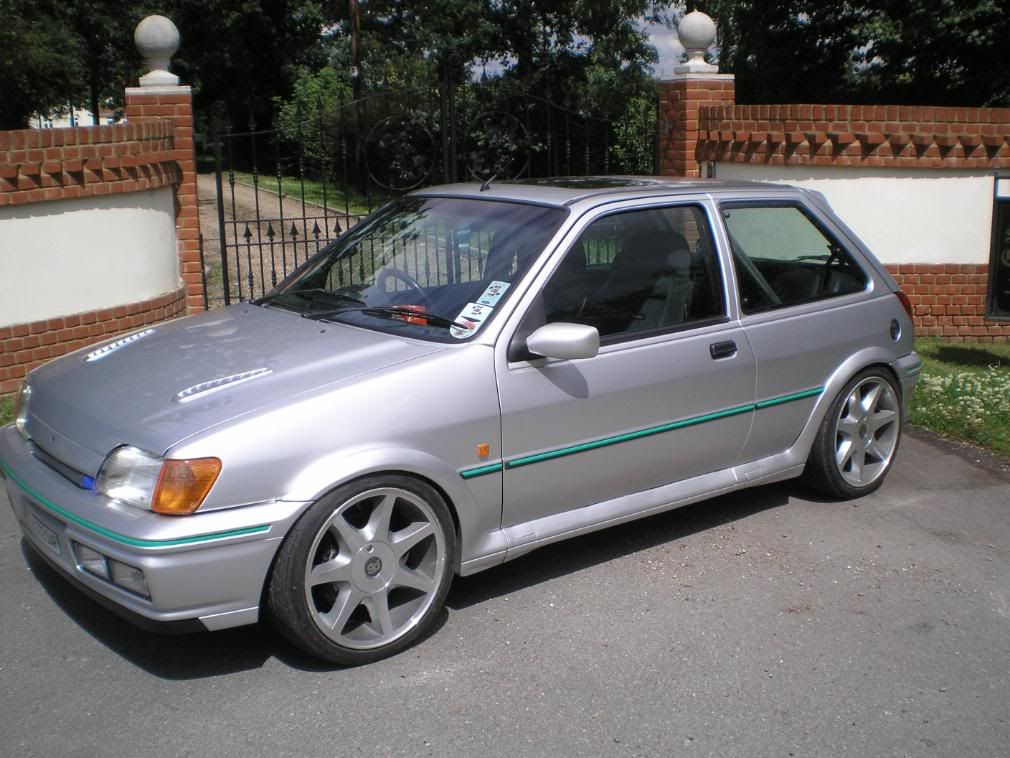
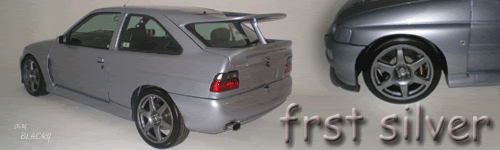
idd like both cars on it... 1 either side if poss with my name along bottom...
if its no 2 much trouble.. cheers people

cheers people
idd like both cars on it... 1 either side if poss with my name along bottom...
if its no 2 much trouble.. cheers people
cheers people
- FRST SILVER
- Elite Post Master

- Posts: 1390
- Joined: Wed Nov 07, 2007 5:52 pm
Re: sig please.... would be very greatful
by Swiss on Mon Jul 14, 2008 10:11 am
can do mate, gimme an hour or so and i'll sort it 

- Swiss
- Senior Poster

- Posts: 246
- Joined: Mon Feb 25, 2008 11:06 am
- Location: High Wycombe _ Drives: XR2i 2.0 Zetec

- Swiss
- Senior Poster
- Posts: 246
- Joined: Mon Feb 25, 2008 11:06 am
- Location: High Wycombe _ Drives: XR2i 2.0 Zetec
Re: sig please.... would be very greatful
by FRST SILVER on Mon Jul 14, 2008 2:37 pm
thats wicked mate... just what i was after.....
cheers fella.... how do i install it now though
cheers fella.... how do i install it now though
- FRST SILVER
- Elite Post Master
- Posts: 1390
- Joined: Wed Nov 07, 2007 5:52 pm
Re: sig please.... would be very greatful
by Swiss on Mon Jul 14, 2008 3:24 pm
No probs mate 
if you click on the image it should take you to where the IMG code is
if you click on the image it should take you to where the IMG code is
- Swiss
- Senior Poster
- Posts: 246
- Joined: Mon Feb 25, 2008 11:06 am
- Location: High Wycombe _ Drives: XR2i 2.0 Zetec
Re: sig please.... would be very greatful
by FRST SILVER on Mon Jul 14, 2008 3:58 pm
then what do i do from there..
aint got a clue with computers
aint got a clue with computers
- FRST SILVER
- Elite Post Master
- Posts: 1390
- Joined: Wed Nov 07, 2007 5:52 pm
Re: sig please.... would be very greatful
by Swiss on Mon Jul 14, 2008 4:21 pm
haha no probs mate.
right..... click on the image i posted and it'll take you to a page displaying the image. there should be 3 boxes underneath the image.
copy the text in the one marked FORUM (just click on the text, it'll highlight then press Ctrl + C) this will copy it.
the go back on here and click on User control panel. click on profile and then when that window opens on the left theres a bit that says Edit signature.
click that then in the text box click Ctrl + P, that'll paste the text into the box then just click on save
job done
right..... click on the image i posted and it'll take you to a page displaying the image. there should be 3 boxes underneath the image.
copy the text in the one marked FORUM (just click on the text, it'll highlight then press Ctrl + C) this will copy it.
the go back on here and click on User control panel. click on profile and then when that window opens on the left theres a bit that says Edit signature.
click that then in the text box click Ctrl + P, that'll paste the text into the box then just click on save
job done
- Swiss
- Senior Poster
- Posts: 246
- Joined: Mon Feb 25, 2008 11:06 am
- Location: High Wycombe _ Drives: XR2i 2.0 Zetec
Re: sig please.... would be very greatful
by FRST SILVER on Mon Jul 14, 2008 5:24 pm
cheers mate....
u going ford fair.... if u do ill buy you a beer if there any around
top job
u going ford fair.... if u do ill buy you a beer if there any around
top job
- FRST SILVER
- Elite Post Master
- Posts: 1390
- Joined: Wed Nov 07, 2007 5:52 pm
Re: sig please.... would be very greatful
by Swiss on Mon Jul 14, 2008 5:28 pm
that i am mate, wouldn't miss it!!
dunno if i'm driving but i'll be with a mate whos on our stand so i'm sure i'll bump into ya
dunno if i'm driving but i'll be with a mate whos on our stand so i'm sure i'll bump into ya
- Swiss
- Senior Poster
- Posts: 246
- Joined: Mon Feb 25, 2008 11:06 am
- Location: High Wycombe _ Drives: XR2i 2.0 Zetec
Re: sig please.... would be very greatful
by FRST SILVER on Mon Jul 14, 2008 5:31 pm
look foward 2 it mate.... i dont no what one of my turbos 2 bring
- FRST SILVER
- Elite Post Master
- Posts: 1390
- Joined: Wed Nov 07, 2007 5:52 pm


- Swiss
- Senior Poster
- Posts: 246
- Joined: Mon Feb 25, 2008 11:06 am
- Location: High Wycombe _ Drives: XR2i 2.0 Zetec
Re: sig please.... would be very greatful
by FRST SILVER on Mon Jul 14, 2008 9:18 pm
Swiss :the silver one!!!
ill get a tow bar fitted 2 one n then trailer the other behind
- FRST SILVER
- Elite Post Master
- Posts: 1390
- Joined: Wed Nov 07, 2007 5:52 pm
12 posts • Page 1 of 1